
Tools
Runtime configuration and analysis that lives outside your agent code.
Token analysis
Tools → Token analysis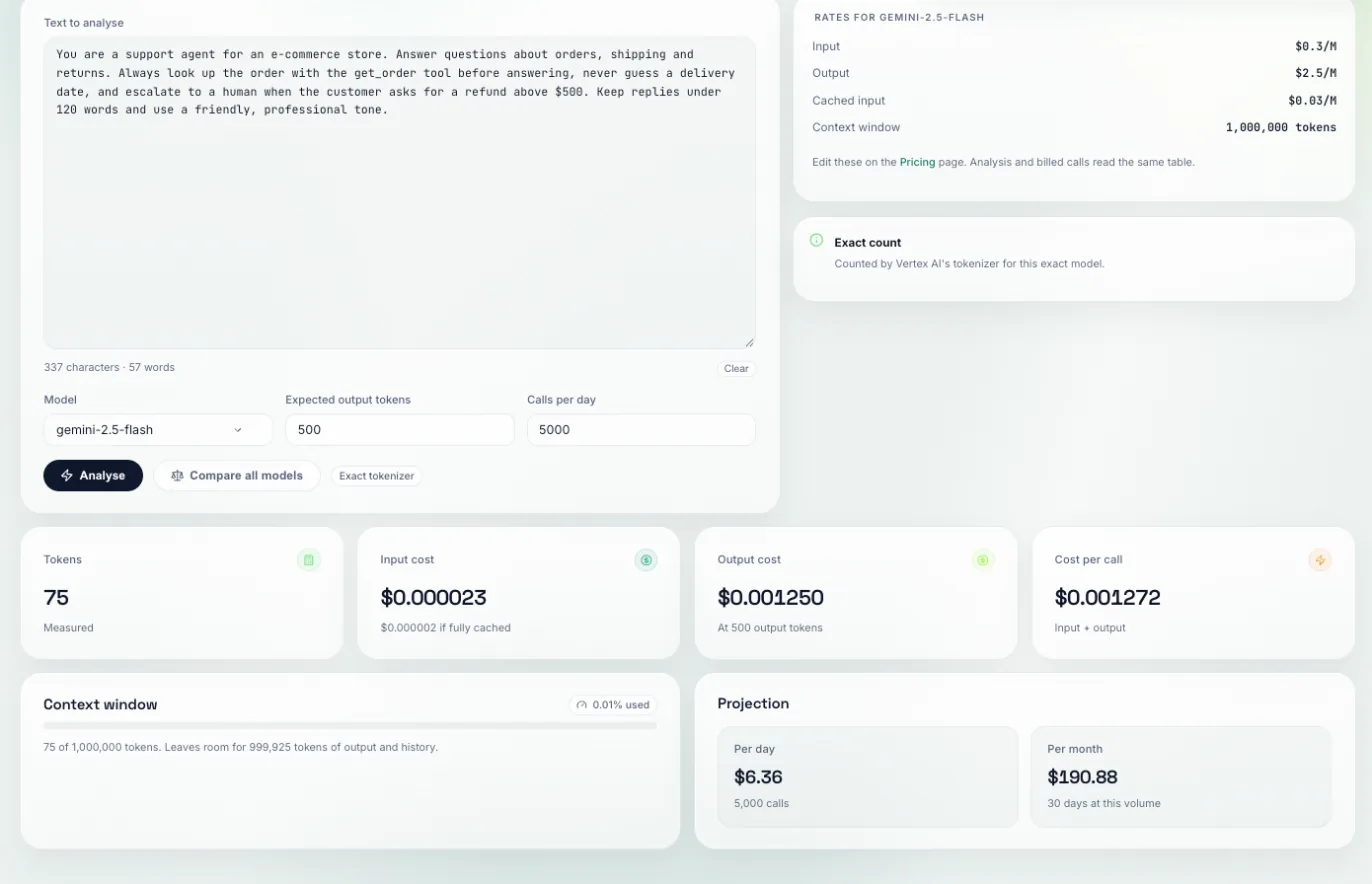
Paste a prompt and see its token count and what it would cost across models, side by side.
Paste the text (a system prompt, a long tool description, a retrieved document) and compare the per-model costs shown. Multiply by your expected call volume to get the real number.
It answers “is this system prompt worth its length?” before you ship it. A 900-token preamble on every call is a recurring bill, not a one-off, and it is much easier to trim now than after it is in production.
Prompt library
Tools → Prompt libraryPrompts stored with versions. Edit freely, then promote a version to make it the live one.
Create a prompt, edit to produce new versions, and promote the one you want live. Your agent fetches the promoted version at runtime:
import httpx

def get_prompt(name: str) -> str:
    r = httpx.get(
        f"https://api.traptureiq.com/v1/prompts/by-name/{name}/latest",
        headers={"X-API-Key": "tiq_your_key_here"},
        timeout=5,
    )
    r.raise_for_status()
    return r.json()["content"]

SYSTEM_PROMPT = get_prompt("support-agent-system")
Prompts change far more often than code does, and a bad prompt is one of the fastest ways to break an agent. Versioning makes a rollback one click instead of a redeploy, and it puts prompt edits somewhere a non-engineer can safely make them.
Parameter store
Tools → Parameter storeConfiguration values (model names, temperatures, feature flags, thresholds) with environments and versions, so the same key can differ between staging and production.
Create a key, give it a value per environment, and resolve it at runtime:
r = httpx.get(
    "https://api.traptureiq.com/v1/parameters/resolve",
    params={"key": "model_name", "environment": "production"},
    headers={"X-API-Key": "tiq_your_key_here"},
)
MODEL = r.json()["value"]
Values marked secret are encrypted at rest and only returned through an explicit reveal.
Switching a model or nudging a temperature should not require a deploy. Environments mean you can try a change in staging without touching production, and versions mean a bad value is reversible rather than a rollback of the whole service.
MCP debug
Tools → MCP debugRegister an MCP server, list the tools it exposes, and call one with your own arguments to see the raw response.
Add the server URL, list its tools to confirm the connection and the schema, then invoke a tool with arguments you choose and inspect exactly what comes back.
It isolates blame. When an agent's tool call fails, this tells you whether the MCP server is broken or the agent is calling it wrong, without redeploying the agent to find out.
agent.py.Next: Account & team.