Cost
What you are spending, broken down every way you are likely to ask.
Every page below is populated from the same spans your agent already exports. See Connect your agent. Nothing here needs configuring before it starts filling in. In the console these pages sit in the Observability section of the sidebar, next to the traces that explain them.
Cost overview
Observability → Cost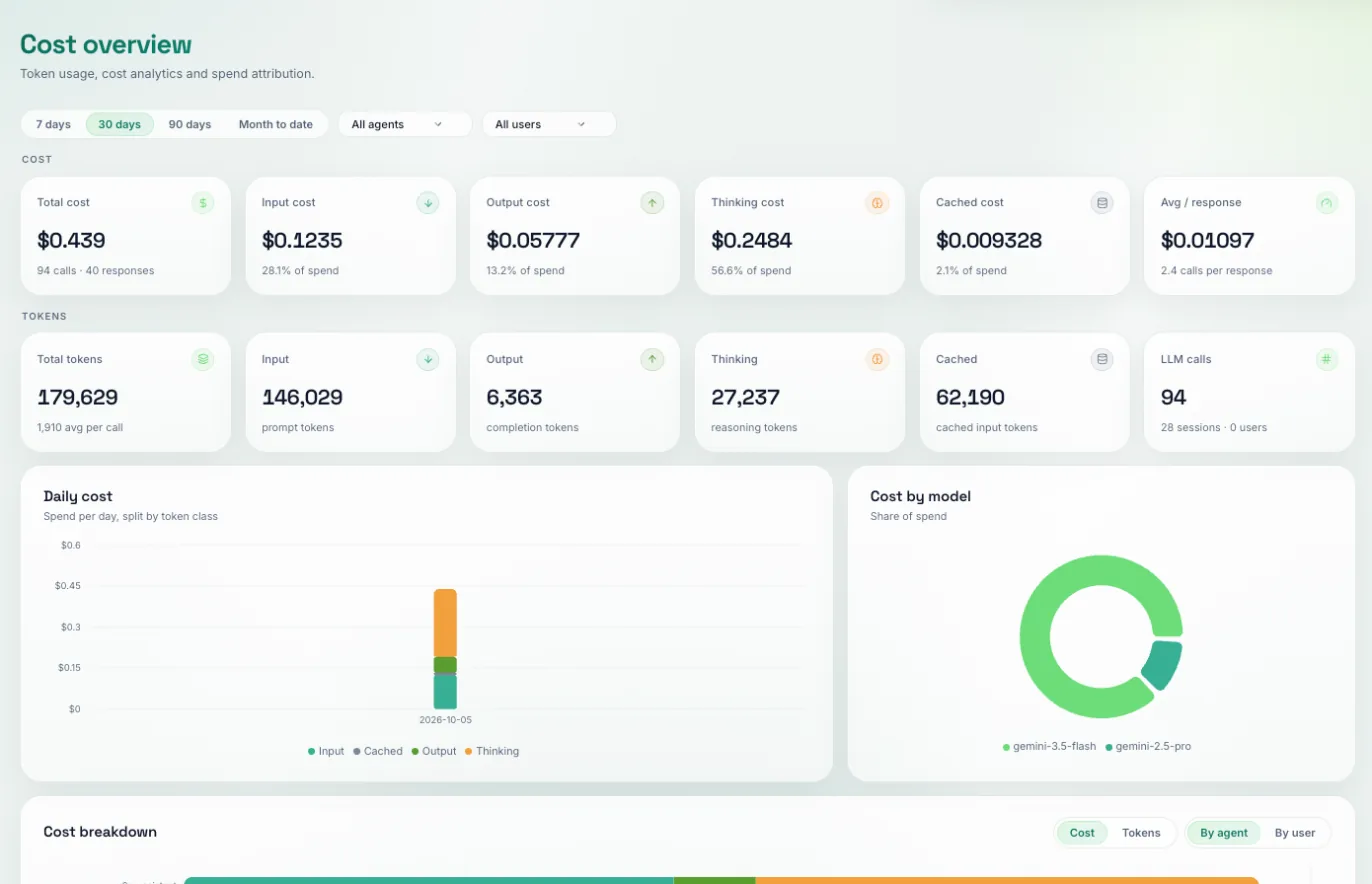
Total spend for the window you pick, split by token class (input, output, thinking and cached) so you can see why it cost what it did. Below that: daily cost, cost by model, a cost breakdown by agent or by user, and cost per session.
Pick a range (7 days, 30 days, 90 days or month to date), optionally narrow to one agent or one user, then read the panel that matches your question:
- Cost breakdown → By agent: which agent is responsible
- Cost by model: whether a cheaper model would do
- Cost breakdown → By user: whether one customer is driving the bill
- Thinking cost card: whether reasoning tokens are most of the spend
For the individual calls behind a number, open Traces: every run shows its prompt, response, tokens and cost.
It is the fastest way to turn “the bill went up” into a specific agent, model or user. Without a breakdown, an unexpected invoice is a month-long investigation; with one it is usually a single click.
Sessions
Observability → Sessions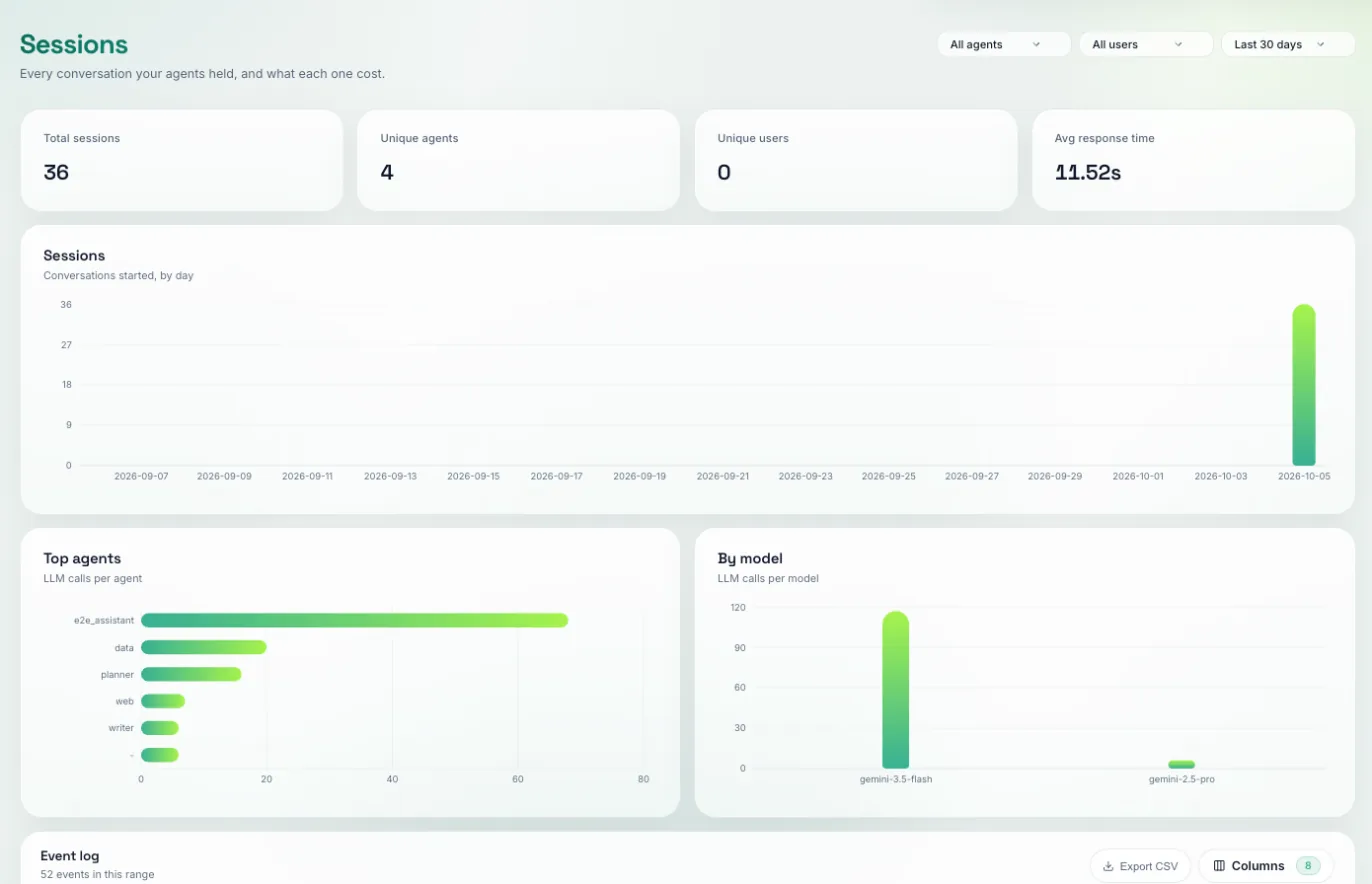
Spend grouped by conversation rather than by call. One session is one ADK session id.
Filter by agent or user, and use the event log at the bottom (exportable as CSV) for the session-level rows. To follow one conversation turn by turn, open any of its traces and click the session id: that opens the session as a single timeline.
For per-user attribution, set a user id on the ADK session. On ADK 2.1.0 and later, ADK sends that id only on its log records, and only when message content capture is on, so you need both:
export OTEL_EXPORTER_OTLP_LOGS_ENDPOINT="https://api.traptureiq.com/v1/logs"
export OTEL_INSTRUMENTATION_GENAI_CAPTURE_MESSAGE_CONTENT=true
Without them, By user shows a single unnamed row and Unique users stays at zero. The trade-off: ADK has no setting that sends the user without the message text, so this also sends prompts and responses in the logs. On ADK 2.0 and older the user id is on the spans and needs neither setting. See Logs.
This is the number to quote when someone asks what a conversation costs. A per-call average is misleading, because each turn re-sends the history before it, so cost per turn climbs as the conversation goes on, and only a session view shows that.
Budgets
Observability → Budgets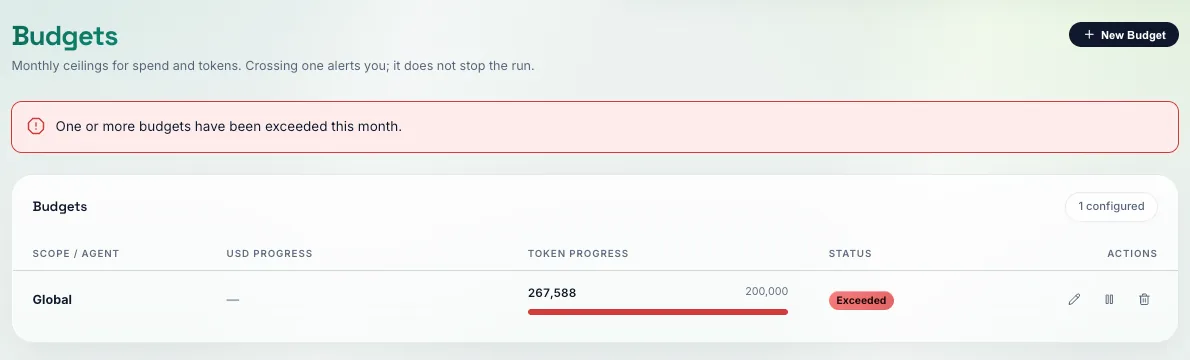
A monthly ceiling in USD or tokens, set globally or per agent, with current consumption against each one.
Create a budget, choose its type (a cost budget in USD or a token budget), and scope it to all agents or one. A scope can carry one of each type. The tab then tracks consumption against each for the current month.
Spend on agents is lumpy. A retry loop or a prompt regression can multiply it overnight. A budget turns that into something you find out about.
Pricing
Observability → Pricing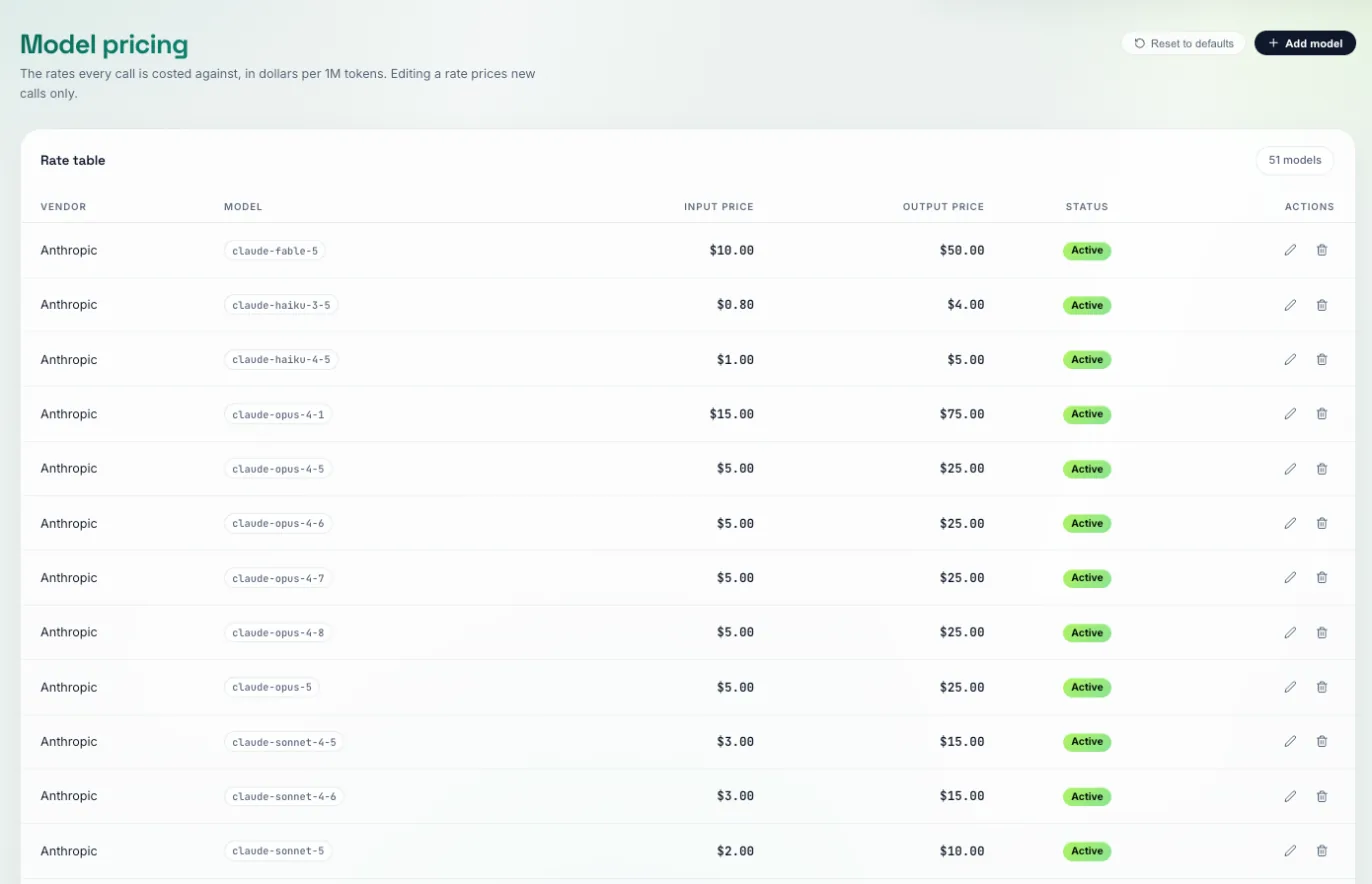
The model price catalogue used to cost your calls, seeded from published vendor pricing and editable.
Edit a rate if you have negotiated pricing, or add a model we do not know about yet. Long-context tiers are supported: set the token threshold and the higher rate above it, so large-prompt calls are not under-reported.
If a call arrives for a model with no price, the row is stored with priced=false rather than a guessed cost. Add the model here and later calls price correctly.
List prices are not what most teams pay, and a cost report built on the wrong rate is worse than none. It reconciles against nothing.
Next: Observability, the same calls, seen as traces rather than money.